iOS 27: Unveiling the Revolutionary New Siri AI
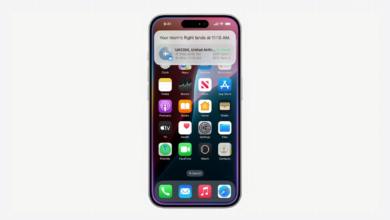
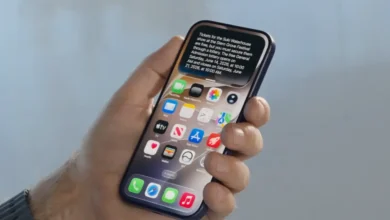
Apple just shook things up at WWDC 2026. The big news is iOS 27, and the star of the show is the new Siri AI. This isn’t just a voice that sets timers or tells you the weather. It’s a total rebuild that actually understands your life, your screen, and the world around you.
The new Siri AI works across four main layers. It knows your personal details, sees what you’re looking at, finds facts on the web, and does work inside your apps. There is even a new Siri app that saves your chats so you can switch from your iPhone to your Mac without missing a beat.
Note: This info comes from the iOS 27 developer beta 1. Apple might change some features before the final version comes out later this year.
▶ Get The Latest Phones News As It Happens
The Four Pillars of the New Siri AI
Siri is no longer just a basic tool. It now uses a smart system built on four different capabilities. These pillars allow it to handle complex asks that would have confused older versions of the software.
Understanding Personal Context
Siri now has a memory. It can look through your Messages, Mail, Photos, and Calendar to find specific details. You don’t have to remember exactly when you got a piece of info. You just ask, and Siri finds it.
For example, you can ask, “What was the name of that restaurant my sister texted me about last week?” Siri scans your threads and gives you the answer. It can also find a screenshot of a Wi-Fi password for a rental house.
It doesn’t just look at dates for photos anymore. It understands what is in the image. If you ask for the photo of where you parked at the airport, Siri finds the car in the lot, not just the date you flew.
Here are a few other ways it uses your data:
- Finding specific photos of a friend’s new golf clubs from a text.
- Pulling up recent sponsorship emails from a specific contact.
- Finding a booking confirmation for a tee time and adding it to your calendar.
- Checking when your next dentist appointment is, even if it’s six months away.
If you’re using the beta, let your phone finish indexing. This lets Siri search your old emails and texts more accurately.
On-Screen Awareness
Siri can now see what you see. It analyzes the content on your screen in real time. This means you can ask questions about an app without leaving it.
If you’re on social media and see a cool photo, you can just ask Siri what that place is. You don’t have to take a screenshot or search Google manually.
In one test, a photo of a golf course was on the screen. Siri identified it as the Turnberry Lighthouse in Scotland. It didn’t just give the name. It provided the history of the grounds and when it was built.
This makes getting info fast. You get a quick summary on your screen, and you can go to the Siri app later if you want to read more.
Broad World Knowledge
When Siri doesn’t know the answer from your own data, it hits the web. It uses broad world knowledge to answer open-ended questions. It doesn’t just give you a link; it reasons through the answer.
You can ask something like, “What is a respectable score for a beginner on a par 72 course?” Siri will tell you it’s usually between 100 and 120. You can then ask a follow-up, like how to break 100. Siri will suggest focusing on your short game and avoiding penalty strokes.
It also handles current events and rumors. You can ask for the most credible rumors about the iPhone 18. Siri lists the rumors and tells you how likely they are to be true.
It’s also great for quick, practical help:
- Asking how long cooked rice can sit out before it’s unsafe (2 hours).
- Getting warnings about bacteria when the room is over 90 degrees.
- Checking sources via links provided at the bottom of the answer.
In-App Actions
The most powerful part of the new Siri AI is its ability to do things for you. It can move data between apps to save you time.
Imagine you have a tracking number in an email. You can tell Siri to add that number to a reminder for Friday. Siri grabs the digits and builds the reminder automatically.
It works with receipts too. You can ask Siri to take itemized costs from a receipt and put them into a budget in the Numbers app. It bridges the gap between your inbox and your spreadsheets.
It can even handle file transfers. If you’re drafting a text, you can say, “Grab the lease PDF from my email and attach it here.” Siri finds the file in Mail and drops it into Messages.
The Dedicated Siri App
Apple added a standalone Siri app to iOS 27. This app acts as a home base for all your AI interactions. Instead of your requests disappearing into thin air, they are now saved.
This app keeps a history of your conversations. If Siri found a great travel tip for you three days ago, you can find that chat again. You don’t have to ask the question a second time.
Continuity is the biggest win here. You can start a complex research project with Siri on your iPhone while on the bus. When you get home, you can open the Siri app on your Mac and pick up right where you left off.
The app also stores the sources for “World Knowledge” queries. If you want to verify a fact Siri gave you, the links are all right there in your history.
Real-World Scenarios and Use Cases
This AI changes how you use your phone every day. It turns the iPhone from a tool into a true assistant.
For work, you can stop digging through folders. You can ask Siri to find a specific file from yesterday’s meeting and email it to a client. Siri finds the file, opens the mail app, and drafts the message.
For home life, it simplifies the small things. If you’re following a recipe and need a conversion, just ask. Siri can tell you how many milliliters are in a cup without you leaving the recipe page.
It also helps with organization:
- “Remind me to pick up the dry cleaning when I’m near Elm Street.”
- “Find the Wi-Fi password from that Airbnb screenshot I took in July.”
- “Summarize the three main points from the email Jess sent this morning.”
If you find yourself switching between three different apps to finish one task, that’s a job for the new Siri.
The Future of AI Assistants
Apple is moving Siri from a voice command tool to a proactive partner. By linking personal data with web knowledge and app control, the phone starts to anticipate what you need.
The focus remains on privacy. While Siri knows a lot about you, Apple keeps this processing tight. The goal is a smart experience that doesn’t compromise your data.
As we move past the beta, we’ll see how these features hold up in the wild. The jump from the old Siri to this AI version is the biggest change in years. It changes the way we talk to our tech.
Final Thoughts
The new Siri AI in iOS 27 is a massive leap forward. It finally gives us an assistant that knows who we are and what we’re doing. Between the personal context, on-screen awareness, and the ability to take action in apps, the friction of using a smartphone is disappearing.
Having a dedicated app to track these chats makes the experience feel permanent and useful. While it’s still in beta, the potential to save time and reduce stress is clear.
If you have access to the developer beta, try these features out. See how it handles your specific emails and photos. Let us know your favorite new shortcut in the comments below!