WWDC 2026: Apple Intelligence & Siri Revolutionize Your Devices
Apple just finished its WWDC 2026 keynote and the updates are massive. Most of the talk focused on the new Siri and a set of tools called Apple Intelligence. Apple built this year’s event around platform fixes, safety, and AI. The crowd really came for the AI, and Apple didn’t disappoint.
This isn’t just a small patch. It is a total change in how you use your iPhone, Mac, and iPad. For years, we’ve wanted a voice assistant that actually understands us. Now, Apple is delivering a system that knows your context and can handle complex tasks across different apps.
▶ Get The Latest Phones News As It Happens
The New Era of Siri: Intelligent and Conversational
Siri has a new name. It is now called Siri AI. Apple admitted that the old Siri often fell short. To fix this, they built Siri AI on new foundation models based on Google’s Gemini technology. It’s not a direct copy of Gemini, but it uses that power to be much more capable.
The biggest change is how Siri talks. You can now have a real back-and-forth conversation. You can ask a follow-up question, and Siri remembers what you were talking about. You can even chain several steps into one single request.
Siri Integration Across Your Gear
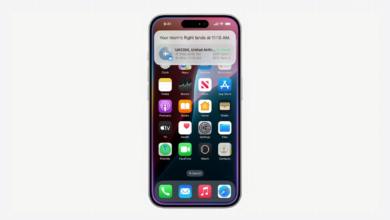
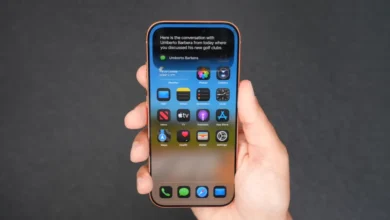
Apple put Siri AI everywhere. On the iPhone, it lives in the Dynamic Island. You can swipe down, press the side button, or just say “Hey Siri” to start. There is also a new Siri app. This app lets you scroll through old chats and start new ones using text or voice.
The Mac experience is just as tight. Siri is now part of Spotlight. You can right-click any file or window to jump right into a conversation. Everything syncs via iCloud. You can start a task on your phone and finish it on your Mac without missing a beat.
For the Apple Watch, the new Siri app is coming soon. On the Vision Pro, Siri gets a 3D visualization. You can place this 3D assistant anywhere in your room. Just look at it and start talking.
How Siri AI Actually Works
The real power comes from what Siri AI can see and know. First, it has personal context. It can scan your notes and messages to find specific info fast. Second, it has on-screen awareness. If you’re looking at a photo of a building on social media, you can just point to it and ask Siri what it is.
Third, it has broad world knowledge. It can pull live data from the web. Fourth, it can perform app actions. This means Siri can reach into an app and use its tools for you.
Apple showed two great examples of this. In one, a presenter asked about a Suki Waterhouse concert. Siri found out the tickets were a lottery and set a reminder for when the lottery opened. In another demo, Siri dug through a message history to find a dessert someone mentioned. It then made a party menu, wrote a message to a group chat, and sent it off.
Apple Intelligence: Beyond Siri, System-Wide Enhancements
Apple Intelligence isn’t just for Siri. It’s baked into the whole OS. One cool feature is Visual Intelligence in the camera app. You point your phone at a plate of food to see calories or protein. You can snap a photo of a receipt, and Siri will figure out how to split the bill.
Writing is also easier now. You can ask Siri to draft a work document from scratch. If you’ve already written something, you can ask Siri to check the tone. The system also proofreads your work in the background.
Productivity Boosts in Common Apps
Safari got a big upgrade. It now groups tabs automatically by topic. It can also watch a web page and tell you when something changes. You can even describe a browser extension in plain English, and Safari will build it for you.
Other apps got smarts too:
- Passwords: Now finds compromised passwords and updates them automatically.
- Messages & Mail: Suggests one-tap actions, like adding a photo to a chat.
- Calendar: Lets you add events using natural language.
- Home App: Now supports 4K cameras and uses AI to summarize footage from multiple cameras.
- Shortcuts: You can build a custom shortcut just by describing what you want it to do.
Creative Tools and Photos
The Image Playground got a revamp with new styles, including photorealistic images. You can circle a part of an existing photo and ask the AI to change just that spot.
The Photos app also has better cleanup tools. There is a new infill tool for a more realistic look. The extend tool adds more room around the edges of a photo. There is also a reframe tool that uses spatial models to fix the perspective of a shot.
Trust and Safety: Enhanced Parental Controls and Security
Apple is leaning hard on privacy. Siri AI uses a mix of on-device processing and private cloud compute. Apple says your data stays yours and isn’t accessible to them or anyone else.
They also added huge updates for parents. Screen Time got a total redesign. It’s now easier to set up and comes with app recommendations. There is a new “Ask to Browse” feature for Safari. Parents must approve each new website a child visits.
Parents can also control who their kids talk to on FaceTime and Messages. Communication safety now blurs gore and violence for users under 18. There are also time allowances and daily schedules to limit games or social media based on the child’s age.
Platform Improvements: Performance and Compatibility
The UI got a refresh called Liquid Glass. This makes content easier to read while keeping a sense of depth. There is a new system-wide slider to change how clear or tinted the glass looks. App icons also look sharper.
Performance is the real winner here. Apps launch up to 30% faster. New photos appear 70% faster after you take them. AirDrop photo transfers are now 80% faster. Apple also added a new CPU scheduler. This should make older iPhones feel faster on iOS 27.
Good news for older device owners: iOS 27 runs on every phone that could run iOS 26. This includes the iPhone 11 line and the second-gen SE.
Availability and Limitations of Apple Intelligence
There are a few catches. At launch, Siri AI is English only. They are working on more languages, but they aren’t ready yet. Due to the Digital Markets Act, it won’t launch in the EU. It also won’t be available in China for now.
Developers can try it today in the developer preview. You have to go to settings, find Siri, and join a waitlist. To use these features, you need a capable device:
- iPhone 15 Pro and Pro Max or newer.
- M1 iPads and Macs or newer.
Final Thoughts
WWDC 2026 changed the game for personal AI. Siri AI and Apple Intelligence turn the iPhone from a tool into a real assistant. The ability to handle complex tasks across apps is a huge win.
From better photo editing to tighter parental controls, Apple covered all the bases. While some regions and languages are left out for now, the foundation is solid. Your devices are about to get a lot smarter. Join the waitlist in your settings if you have a supported device to see these features in action.